Opening times
The Opening times view gives you an overall picture of when bookings are open.
Note
The closing time is the time by which the last reservation can be made — not the time your restaurant is open.
Overview
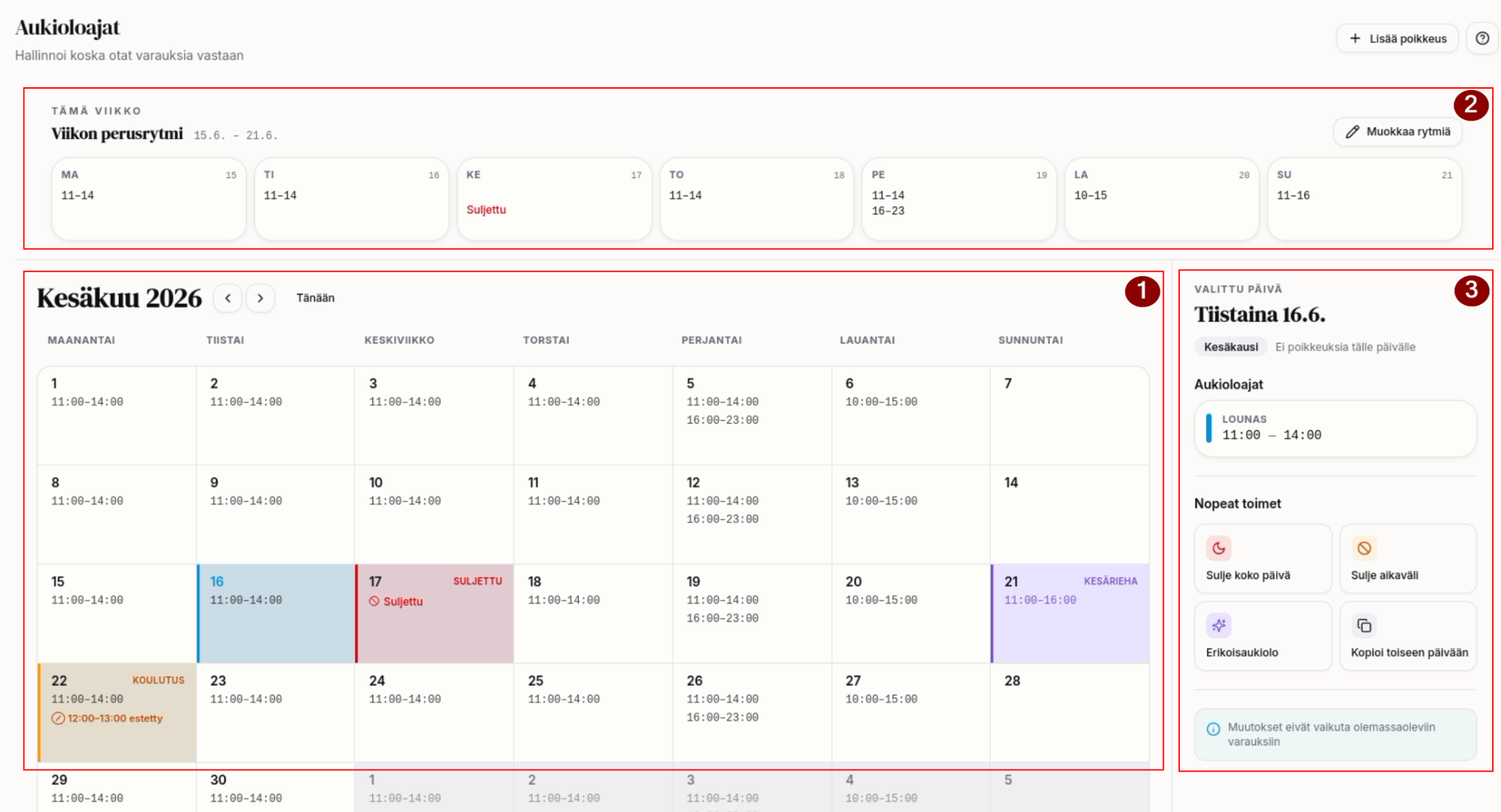
- Here you see an overview of the current month and the opening times.
- From here you can manage the base-rhythm schedule. You also see the current week's opening times.
- From here you can set special opening times, close entire days, or close time ranges within a day.
Weekly base rhythm
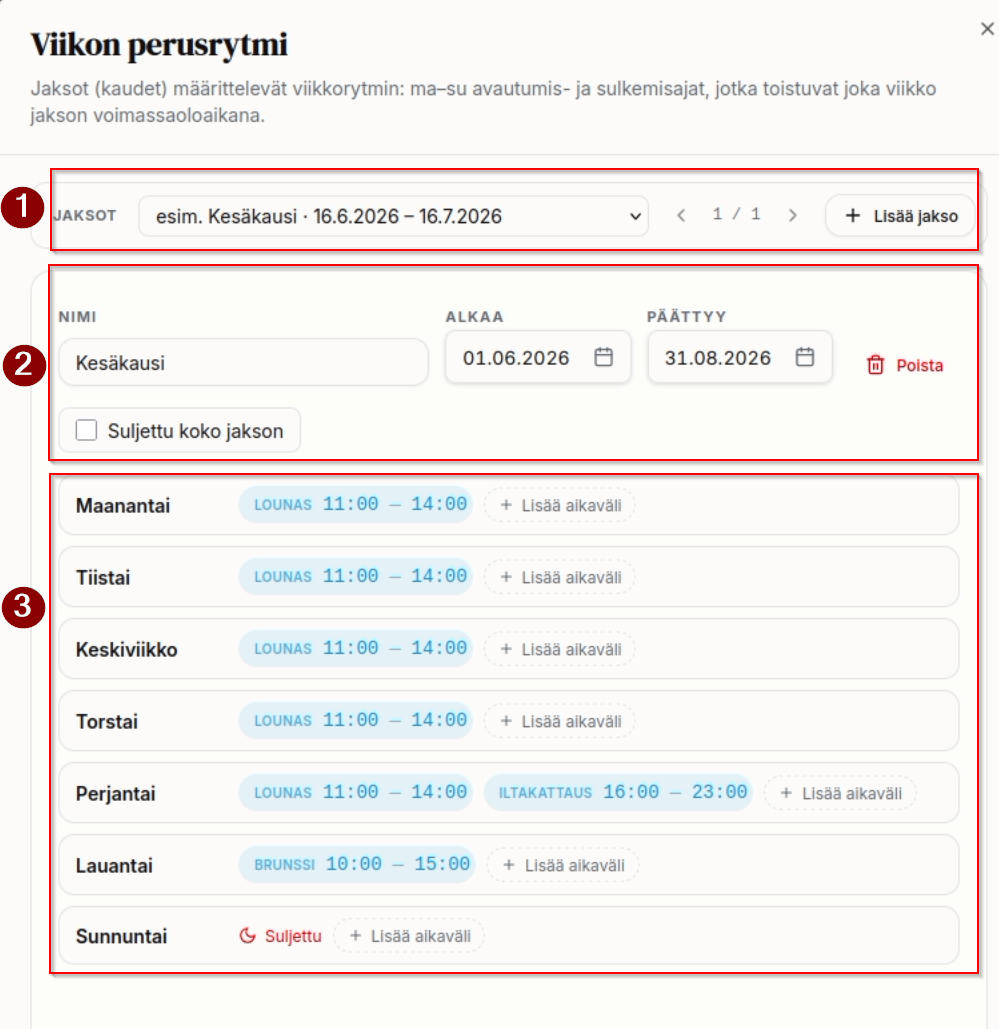
- Defining periods — you can define a period to suit your needs, for example: June, July, or summer season, winter season, and so on.
- If you like, you can define just a single period.
- Period details
- Period name.
- Period start and end date — the end date is the last day included in the period.
- Don't define overlapping periods.
- Tick "Ongoing (no end date)" if the period has no end. It then covers every day from the start date onward.
- "Closed for the whole period" closes the booking system for the entire period. You can use this, for example, for a holiday or a restaurant renovation.
- Weekly schedule during the period
- You can set several opening times for each day.
- Don't make individual exceptions here — those are made through a separate feature (special opening times).